The Neptune app: our VPN on your phone in one tap
The Neptune app is out for iPhone and Android. Turn on Neptune VPN with one tap, with no config files or QR codes, and look after your Neptune internet from your phone.

The Neptune app is now on the App Store and Google Play. It is free for Neptune customers, and the headline feature is simple: Neptune VPN on your phone, with one tap. No config files, no QR codes, no separate VPN app.
The app also looks after your Neptune internet: whether each service is online, a full connection check, your usage, plan changes, and a chat with our team.


Neptune VPN, one tap away
Until now, putting Neptune VPN on a phone meant creating a tunnel in the portal, then scanning its QR code into the WireGuard app. The Neptune app does all of that for you.
- One switch. Sign in, open This phone and tap Agree and set up VPN. The app makes the tunnel and its keys on your phone, and from then on the VPN is one switch.
- Choose where you appear. Pick a region: Melbourne, Sydney, Brisbane, Perth or Adelaide, or one of our overseas regions in North America, Asia and Europe. Changing region keeps the same keys, so there is nothing to reinstall.
- Built in on Android. Add the Neptune VPN tile to Quick Settings, or set it as your Always-on VPN.
- Clear about your data. Before you turn the VPN on for the first time, the app tells you what the VPN collects. Our privacy policy has the details.
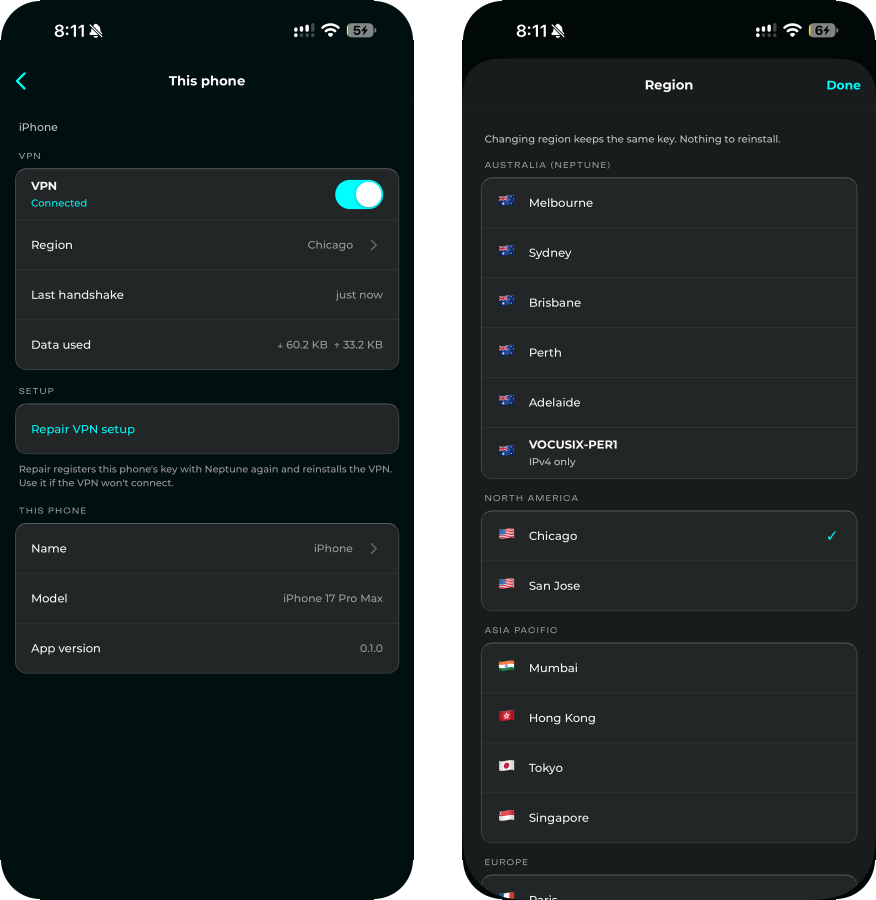
Neptune VPN is included with your Neptune internet service. Your phone uses one of your VPN tunnels, and it shows in the VPN page of the portal with your other tunnels.
The app or WireGuard: which should I use?
Every Neptune VPN tunnel is WireGuard, so you have two ways to connect:
| Device | What to use |
|---|---|
| iPhone or Android phone | The Neptune app (or WireGuard, if you prefer) |
| Windows, macOS or Linux computer | WireGuard, with a config from the portal |
| Tablet, router or anything else | WireGuard, with a config from the portal |
For WireGuard, open the VPN page of the portal, add a tunnel, then import its config file or scan its QR code in the official WireGuard app. The portal shows the config once, when you create the tunnel, so save it then.
Everything else in the app
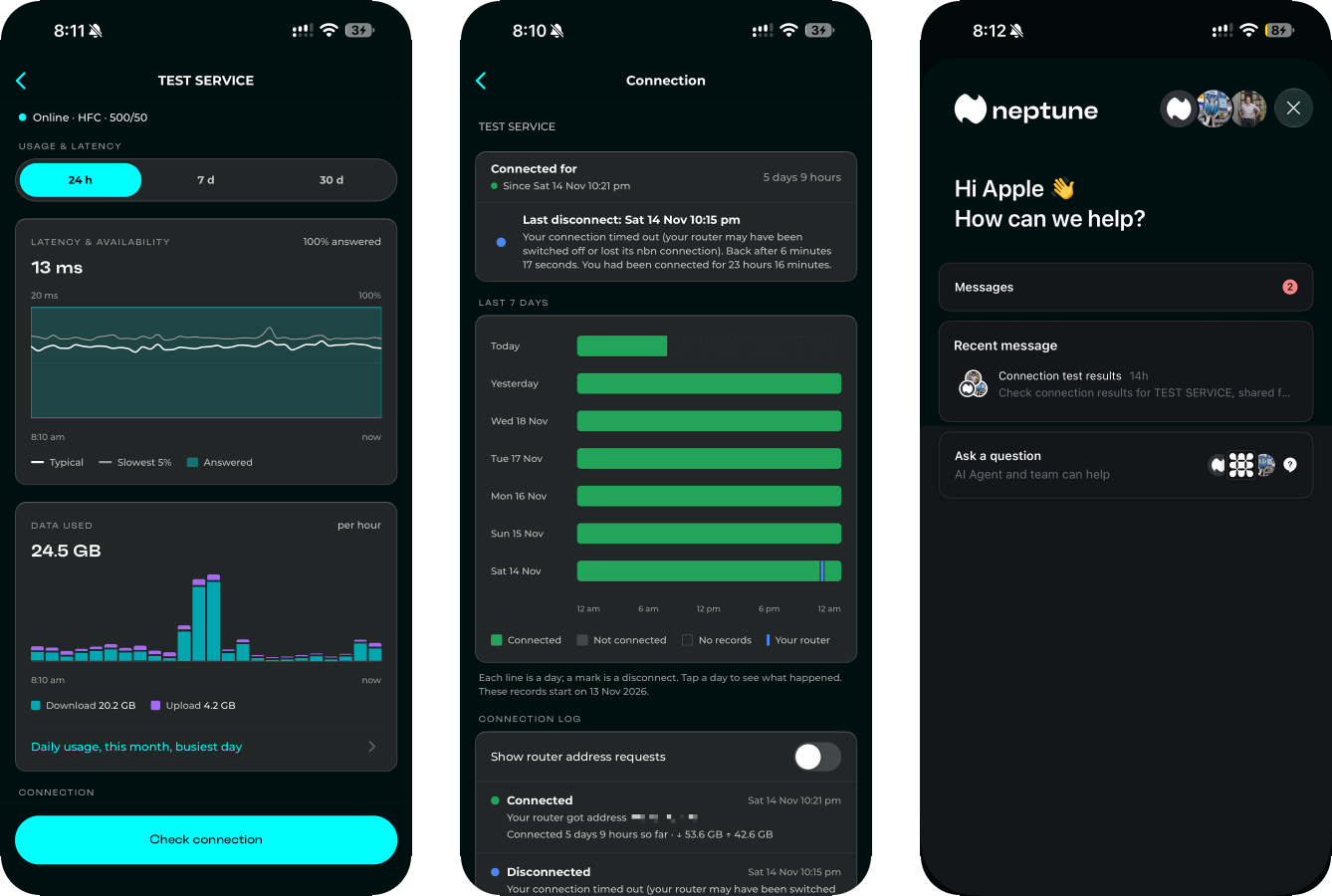
- Your services at a glance. See whether each service is online right now, and get a notification when an outage or planned work affects you.
- Check connection. One screen checks your nbn line, your router and Neptune's network, and tells you in plain words what it found. You can run nbn's own tests and resets, and a speed test against Neptune's servers.
- Usage and connection history. Latency, data used (download and upload), daily usage for up to a year, and a 7-day history of every disconnect and why it happened.
- Plans and Away mode. Change your plan, or switch to Away mode while you are away from home.
- Atmosphere profiles. Change what your Atmosphere Protective DNS blocks.
- Chat with us. Share your connection check with our team, or ask a question.
Getting started
- Install the Neptune app from the App Store or Google Play.
- Sign in with your Neptune account, the same one you use for the portal.
- Tap This phone, read what the VPN collects, then tap Agree and set up VPN.
The app is for Neptune customers in Australia. If you are not with us yet, see our internet plans.
For technical readers
- The app is a thin layer over the official WireGuard libraries: WireGuardKit in an iOS Network Extension, and the WireGuard tunnel library on Android.
- The phone generates its WireGuard key pair itself. The private key stays in the phone's secure storage (the iOS Keychain; on Android, encrypted with a key in the Android Keystore) and never leaves it. Only the public key is sent to Neptune.
- The tunnel carries all of the phone's traffic, IPv4 and IPv6, so nothing leaks around it in a region that is IPv4 only.
- Moving to another region moves the same keys to the new server, so the phone only swaps its endpoint.
If you need a hand with the app or the VPN, get in touch.