Atmosphere Protective DNS is now live on every domestic VPN endpoint
Atmosphere Protective DNS is now fully deployed across all five Australian Neptune VPN endpoints — Melbourne, Sydney, Brisbane, Perth, and Adelaide. Scan a QR code, add the tunnel to your phone, and the same threat protection and ad-blocking you get at home follows you wherever you go.

We've finished rolling out Atmosphere Protective DNS across all five Australian Neptune VPN endpoints. If you create a tunnel terminating in Melbourne, Sydney, Brisbane, Perth, or Adelaide, you can now enable Atmosphere and apply the same per-tunnel allow and deny rules, category-based filtering, and query logging you already get on your fixed-line service.
Quick refresher: what is Neptune VPN?
Neptune VPN is a managed WireGuard service we run for Neptune customers at no extra cost. Every subscriber gets up to two tunnels included with their plan — handy for a phone and a laptop, or any other pair of devices you want to bring onto the Neptune network while you're away from home.
Tunnels are provisioned from your subscriber portal. Pick an endpoint, give the tunnel a name, and we'll generate the WireGuard config for you. No extra account credentials, no per-device subscription — just a config file and a QR code.
Why this is useful on a phone
Most ads, trackers, malware callbacks, and phishing redirects on a mobile phone start with a DNS lookup. Atmosphere Protective DNS blocks them at the resolver before the connection is opened, which is better for battery and bandwidth than a typical on-device blocker that needs to run a packet filter in the background. It also works across the whole device, not just inside the browser.
The quickest way to get Protective DNS running on your phone is:
- Head to your subscriber portal and create a tunnel on an Australian endpoint.
- Turn on Atmosphere for that tunnel and choose the blocklist groups you want — the same ones you can already configure for your home service.
- Open the official WireGuard app on your phone and scan the QR code shown in the portal.
That's it. Your phone is now on Neptune, and its DNS traffic is protected by Atmosphere.
You can leave the tunnel running full-time, or only switch it on when you want filtering. Either option works.
What you get
- Network-wide threat protection, ad blocking, and tracker blocking on mobile, with no extra app required beyond WireGuard itself.
- The same Atmosphere Protective DNS configuration UI you already use for your home service — including per-tunnel allow lists, block lists, category toggles, and bypass options.
- Low-latency egress from Australian data centres, so your DNS lookups stay local.
- Two tunnels per customer, included with your plan.
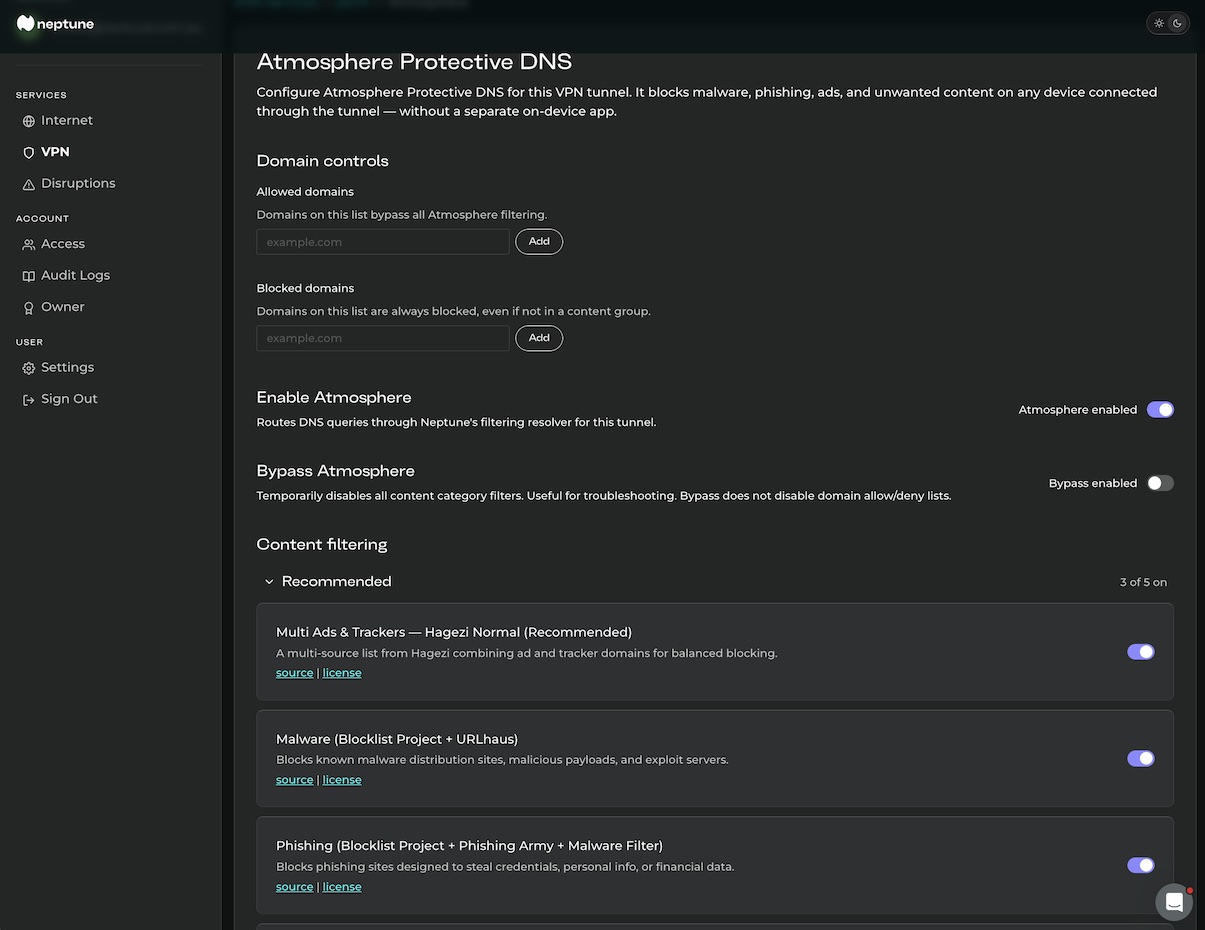
If you've been waiting to try Atmosphere Protective DNS on your phone, this is the easiest way to get started. Head to your subscriber portal, create a tunnel, and scan the code.